


Build Your Complete System
Manufacturer-verified compatible cameras, recorders, mounts, accessories, and licenses for this product. Adjust quantities and add the entire bundle to your cart in one click.

Highlights
Poly SoundStation IP 7000
Important Notes: The 2200-40000-001 does not include an AC power supply. An AC power supply may be purchased separately.
The SoundStation IP 7000 can also connect to a Poly HDX video conferencing system to give you a completely integrated voice and video conferencing solution.
The Poly SoundStation IP 7000 uses the UC software shared with Poly's SoundPoint: IP products, with interoperability with a wide variety of IP PBX and hosted platforms.
The IP 7000 also features a large, multi-line, high-resolution LCD display with multi-language for call information as well as context-sensitive call functions.
The Poly SoundStation IP 7000 Conference Phone Includes:
- SoundStation IP 7000
- 25ft Ethernet cable
- Quick Start Guide

Customer reviews
No reviews yet — be the first to share how this product worked for your setup.
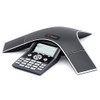
Poly SoundStation IP 7000 Conference Phone - 2200-40000-001

Send Rachel a Message
Senior Specialist · Typically replies within 1 business dayBuild Your Complete System
Manufacturer-verified compatible cameras, recorders, mounts, accessories, and licenses for this product. Adjust quantities and add the entire bundle to your cart in one click.
Looking for more Polycom products? Shop the full Polycom catalog →
Setup & Support, Handled
From first call to first meeting — specialists who have equipped rooms since 2007.
Since 2007
Room-Fit Guidance
- Room size, camera FOV, and mic coverage confirmed
- Teams & Zoom platform compatibility checks
- Quotes for single rooms or multi-room rollouts
Tech Support Services
- Remote setup and configuration assistance
- Troubleshooting with people who know the gear
- One business day response from experts
Extended Service Plans
- Extended coverage options for key hardware
- Manufacturer warranty on every product
- 30-day returns on eligible items