Quick Answer
Best for huddle rooms: Logitech Rally Bar Huddle — compact 4K all-in-one with a 120° camera and 23-ft mic reach.
Best for small rooms: Poly Studio X32 — Teams and Zoom Certified, PoE++-powered, with wireless content sharing built in.
Best for medium rooms: Poly Studio X52 — 4K 20MP camera, DirectorAI framing, and 20-ft voice pickup.
Best for large rooms: Poly Studio X72 — dual 20MP sensors with 70°/120° adaptive views and 25-ft mic reach.
Best for Microsoft Teams Rooms: Yealink MeetingBar A50 — triple 50MP cameras, 16 microphones, native Teams and Zoom.
Best for BYOD: Neat Bar BYOD — works with virtually any meeting platform and drives dual displays.
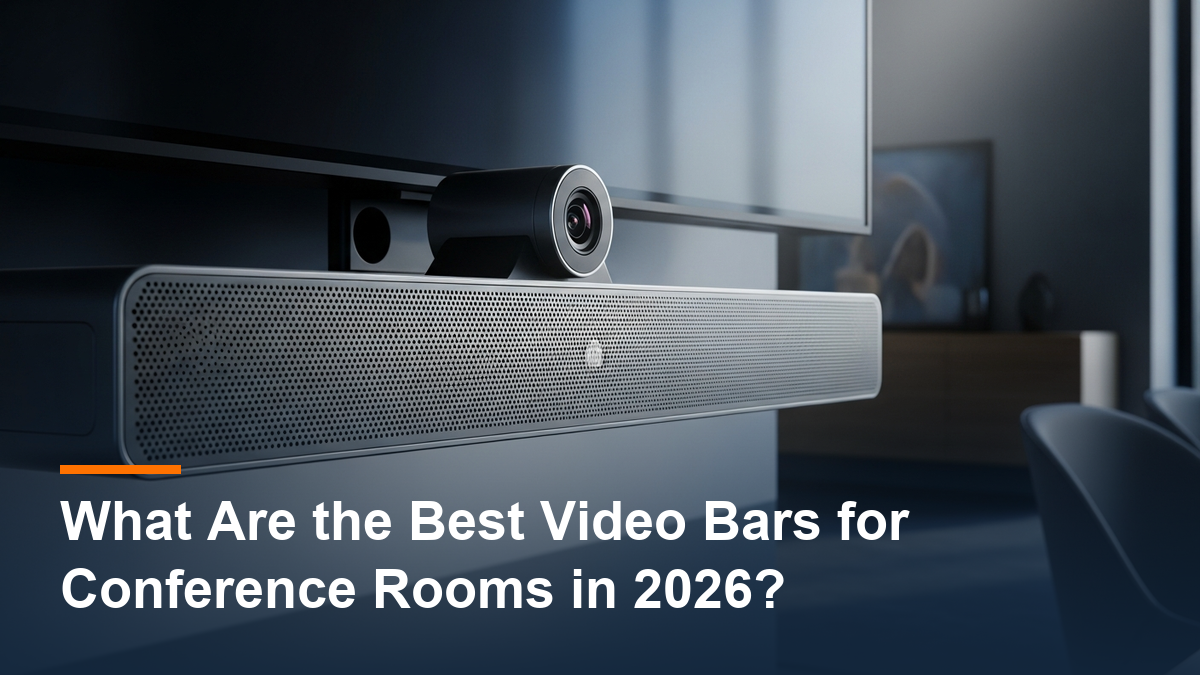
A video bar puts the camera, microphones, speakers — and often the meeting app itself — in one device you mount under the display. That simplicity is why video bars have become the default way to equip a conference room.
These picks cover every common scenario, from a 2-person focus room to a large boardroom, whether you run Microsoft Teams, Zoom Rooms, or a bring-your-own-device setup.
What Is the Best Video Bar for Huddle Rooms?
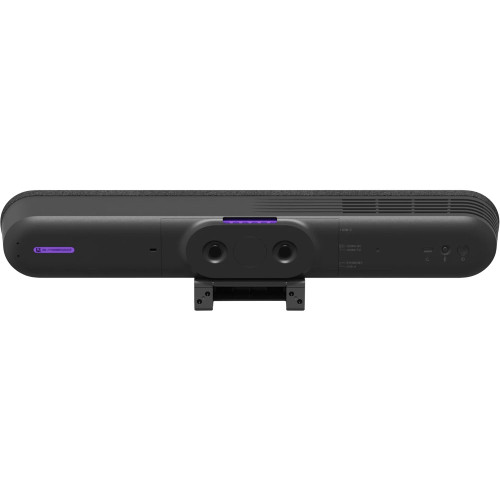
Logitech Rally Bar Huddle
Camera: 4K, 120° diagonal FOV | Audio: 6-mic array, up to 23-ft pickup | Platforms: compatible with Microsoft Teams, Zoom, and Google Meet
Rally Bar Huddle is a compact all-in-one bar built for focus rooms, huddle rooms, and small meeting rooms. It combines a wide-angle 4K camera, 6-microphone array, 55mm speaker, and a video conferencing codec in one device, with AI video intelligence and extensive noise suppression keeping calls crystal-clear. Run it in PC, BYOD, or Appliance mode, and mount it on a wall, a table, or above a display with the included Multi-Mount.
Shop the Logitech Rally Bar Huddle →
What Is the Best Video Bar for Small Conference Rooms?
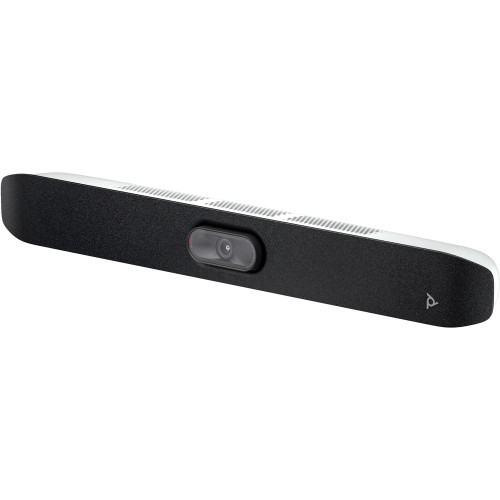
Poly Studio X32
Camera: 4K UHD, 20MP sensor, 5x digital zoom | Audio: up to 15-ft pickup | Certified: Microsoft Teams, Zoom
Studio X32 is Microsoft Teams Certified and Zoom Certified with the cloud video apps already installed, so no external PC is required — and it supports SIP/H.323 for a wide range of other services. DirectorAI smart framing, NoiseBlockAI, and Acoustic Fence handle the picture and the noise automatically, while Miracast and AirPlay cover wireless content sharing. One install note from the spec sheet: it’s powered by PoE++, and Poly’s PoE++ adapter kit is available separately if your switch can’t supply it.
What Is the Best Video Bar for Medium Conference Rooms?
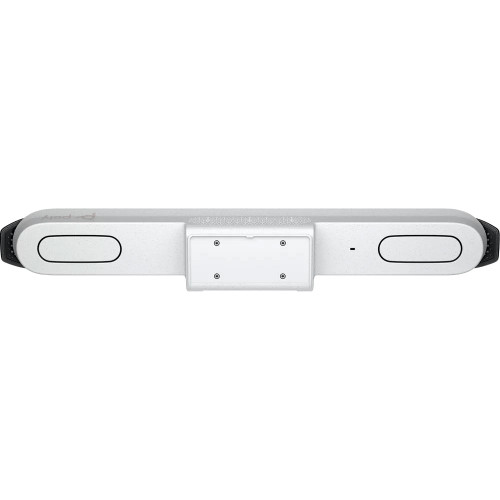
Poly Studio X52
Camera: 4K, 20MP, 95° FOV, 5x zoom | Audio: 20-ft pickup, stereo speakers | Certified: Microsoft Teams, Zoom; works with Google Meet
Studio X52 is the balanced pick for the classic medium conference room. Its 95° wide-angle lens captures every face at the table, the 20MP sensor keeps detail high, and Poly DirectorAI frames the room as if a director were running the camera. AI-enhanced noise filtering and a 20-ft voice pickup range keep the audio as sharp as the picture, and open SIP/H.323 support means it isn’t locked to one platform. A bundle with the TC10 touch control panel is also available.
What Is the Best Video Bar for Large Conference Rooms?
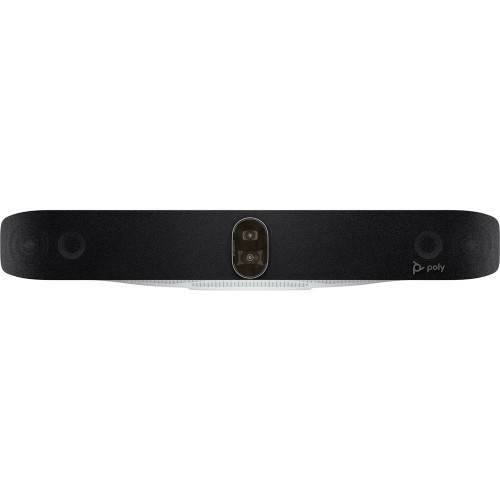
Poly Studio X72
Camera: dual 4K 20MP sensors, 70° and 120° FOV, 7.3x zoom | Audio: beamforming array, 25-ft reach | Certified: Microsoft Teams, Zoom
Studio X72 uses two 20MP sensors to reduce distortion and switch between close-up and group shots — its adaptable field of view works as well for the far end of a long table as for the whole room. The beamforming microphone array reaches 25 ft, and stereo speakers carry the conversation back. It runs virtually any cloud service in Poly Video App mode, works as a USB device too, and is expandable with additional Poly cameras and microphones when the room grows.
What Is the Best Video Bar for Microsoft Teams Rooms?
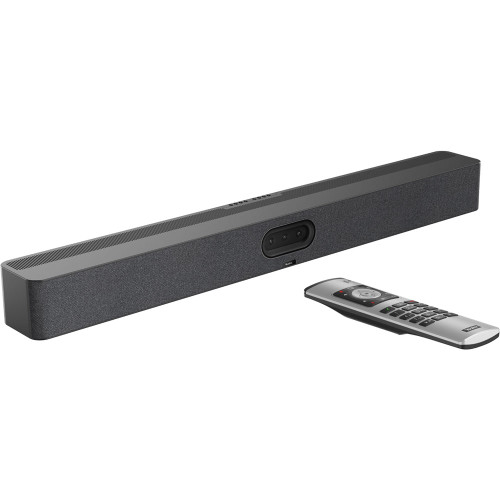
Yealink MeetingBar A50
Camera: triple cameras with 50MP sensors (1 wide-angle, 2 telephoto), up to 4K | Audio: 16 microphones, 32.8-ft pickup, 4 speakers | Platforms: Microsoft Teams and Zoom natively, plus BYOD mode
The A50 is a premium triple-eye bar for medium to large rooms: one wide-angle and two telephoto cameras, each with a 50MP sensor, driven by AI features like IntelliFocus. Its 16-microphone system with AI Noise Cancellation reaches 32.8 ft — the longest pickup of any bar in this roundup — and it runs Microsoft Teams and Zoom natively with a BYOD mode for everything else. The A50-010 bundle includes the VCR11 remote; a bundle with the CTP25 touch display is also available.
Shop the Yealink MeetingBar A50 →
What Is the Best BYOD Video Bar?
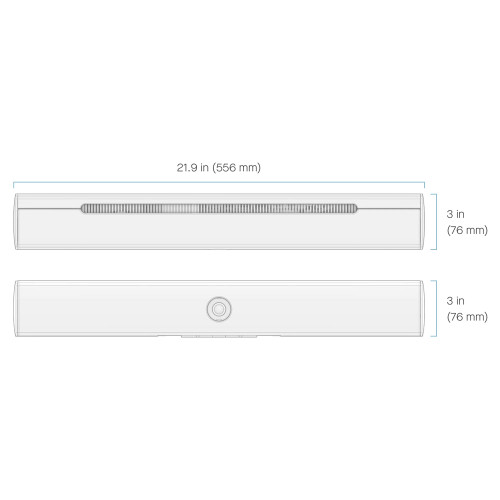
Neat Bar BYOD
Camera: 12MP, 120° wide-angle, 4x digital zoom | Audio: 5-mic end-fire array, opposing-driver speakers | Platforms: virtually all, via Neat Select BYOD mode
If your rooms host meetings on whatever platform the invite happens to use, Neat Bar BYOD is the pick. In Neat Select mode it works with virtually all video conferencing platforms, drives dual displays over its two HDMI outputs, and shares HD content via USB-C or HDMI. Neat Symmetry auto-frames individuals, Neat Boundary stops the camera “seeing” through glass walls, and built-in air-quality, temperature, and humidity sensors watch the room itself. A Neat Pad touch controller is optional, not required.
Every Pick, Side by Side
| Video Bar | Room Size | Camera | Mic Pickup | Platforms |
|---|---|---|---|---|
| Logitech Rally Bar Huddle | Huddle / small | 4K, 120° | Up to 23 ft | Teams, Zoom, Google Meet compatible |
| Poly Studio X32 | Small | 4K UHD, 20MP | Up to 15 ft | Teams & Zoom Certified; SIP/H.323 |
| Poly Studio X52 | Medium | 4K, 20MP, 95° | Up to 20 ft | Teams & Zoom Certified; Google Meet |
| Poly Studio X72 | Large | Dual 4K 20MP, 70°/120° | Up to 25 ft | Teams & Zoom certified; USB mode |
| Yealink MeetingBar A50 | Medium to large | Triple 50MP, 4K | Up to 32.8 ft | Teams & Zoom native; BYOD |
| Neat Bar BYOD | Small to medium | 12MP, 120° | 5-mic array | Virtually all (BYOD) |
Decision shortcut: if the room seats 5 or fewer, get the Rally Bar Huddle; if you’re standardized on Teams or Zoom in a small-to-medium room, get a Studio X32 or X52; if the room is large or the table is long, get the Studio X72 or MeetingBar A50; and if every meeting arrives on a different platform, get the Neat Bar BYOD.
Frequently Asked Questions
What is a video bar?
An all-in-one device that combines the camera, microphones, and speakers — and in many cases a codec that runs the meeting app itself — in a single bar mounted near the display. It replaces the separate camera, speakerphone, and room PC of a traditional system.
What is the difference between Appliance mode and USB/BYOD mode?
In Appliance mode the meeting application (Teams, Zoom) runs directly on the bar, no PC needed. In USB or BYOD mode the bar acts as a peripheral for a connected laptop, which lets it work with virtually any platform — bars like the Rally Bar Huddle, Studio X72, and MeetingBar A50 support both.
Do video bars work with both Microsoft Teams and Zoom?
Many do. The Poly Studio X32, X52, and X72 are certified for both, and the Yealink MeetingBar A50 runs both natively — browse the Teams and Zoom Rooms collections to filter by platform.
How do I know which room size I need?
Count people, not square feet: 1–5 is a huddle room, 6–8 small, 9–13 medium, and 14+ large. Our guide to camera viewing angles explains why closer seating demands a wider lens.
When is one video bar not enough?
In extra-large rooms a single camera can’t show every face in useful detail, even with PTZ. That’s the point where a multi-camera kit takes over from a video bar.
Do I need a touch controller?
Not always — several bars ship with a remote (the A50-010 includes the VCR11), and the Neat Bar BYOD runs with or without a Neat Pad. A touch controller adds one-tap join and in-room meeting management, and controller bundles like the Studio X52 + TC10 package the two together.
Updated July 2026