Quick Answer
Microsoft Teams Rooms runs on two device platforms. Android systems are all-in-one video bars — simplest to install and best for huddle through medium rooms. Windows systems pair a mini-PC with separate cameras and audio — the platform for large rooms, PTZ and multi-camera setups, and third-party audio integration. Both deliver the native Teams Rooms experience with a touch console on the table.
“Teams Rooms on Android or Windows?” is the first fork in every Teams hardware project, and it is really a question about room complexity. This guide explains what each platform physically is, then maps rooms to hardware from the Microsoft Teams equipment catalog. New to Teams Rooms entirely? Start with what a Teams video conferencing system is.
The Two Flavors of Teams Rooms
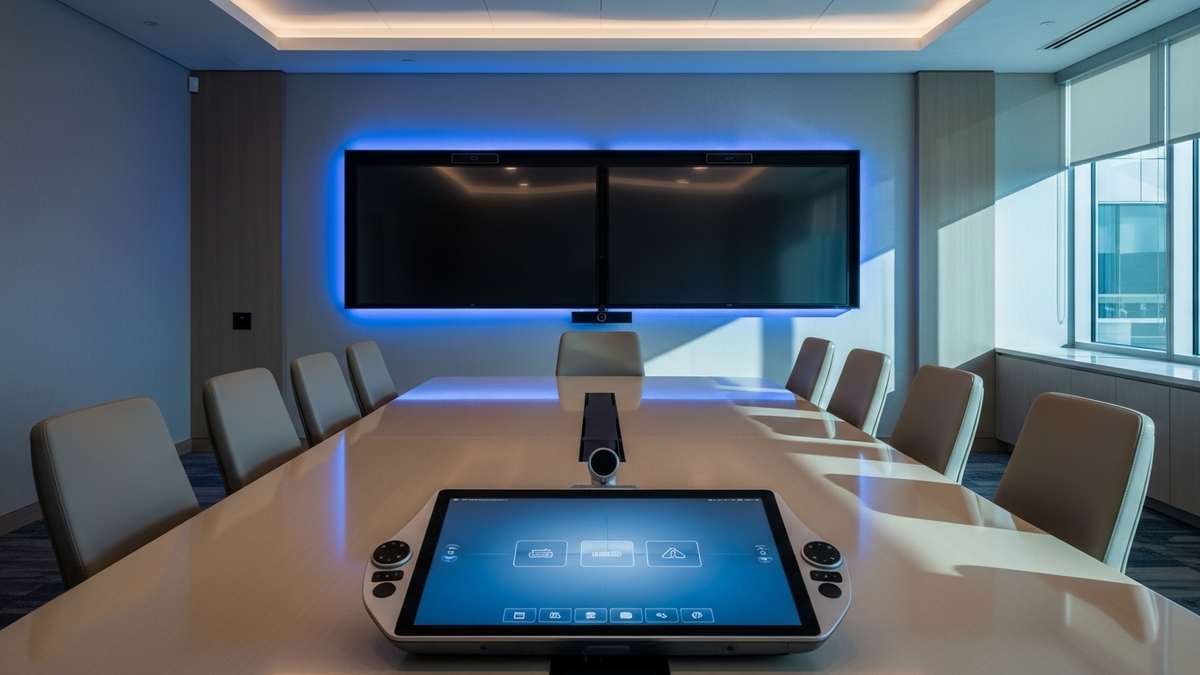
Both platforms are Teams Rooms. The room gets its own resource calendar, one-touch join from a touch console, and the familiar Teams meeting UI on the room display. The difference is where the software runs.
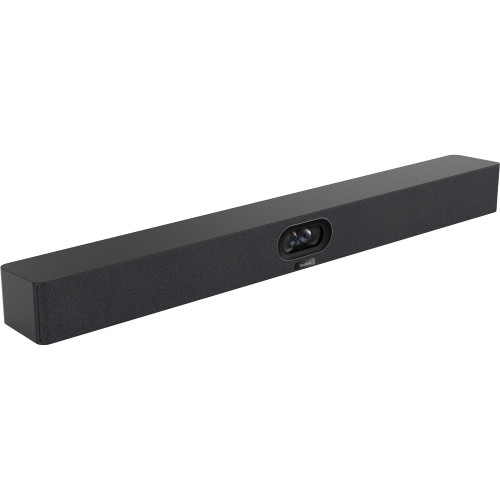
On Android, the computer is inside the video bar. The Teams Rooms on Android app runs on the bar's own chipset — one device on the wall plus a touch console on the table.
On Windows, the computer is a dedicated mini-PC. A Windows IoT mini-PC runs the Teams Rooms app, and cameras, microphones, and speakers connect to it as components you choose.
Feature parity moves over time. Microsoft maintains a feature-comparison page for Teams Rooms on Android vs Windows; check it for the specific features your rollout depends on before finalizing a platform, because capabilities ship to each platform on different schedules.
How the Android Route Works
An Android deployment is one bar plus one touch console. Two current examples show the range:
Yealink MeetingBar A25 with CTP25 for focus and huddle rooms.
Camera: triple-eye — 151° ultra-wide plus two telephoto lenses · Audio: 8 microphones, 16-foot reach, 10W speaker · Modes: native Teams Rooms and Zoom Rooms, General Mode, BYOD Mode
The A25 covers the small-room case with camera hardware that picks out individual faces, and the CTP25 touch display on the table gives the room its one-touch-join console. Microsoft MDEP compatibility is on the spec sheet, which matters for fleet management plans.
Yealink MeetingBar A40 with CTP25 for small-to-medium rooms.
Camera: dual 48 MP lenses combined into one 120° 4K feed · Audio: 8-microphone array, stereo speakers · OS: Android 13
The A40 merges two camera feeds for higher pixel density across the room, and the install is remarkably clean: a single Cat5e cable carries power and network to the touch console, and a single USB-C cable to a laptop enables 4K content sharing, BYOD, and PD charging. It runs Teams natively and also supports Zoom, General Mode, and BYOD Mode.
How the Windows Route Works
A Windows deployment starts with a compute-plus-console core and scales up with the cameras and audio the room needs.
Yealink MCoreKit-C4-MS is that core.
Compute: MCore Pro mini-PC, Intel Core i5, Teams Rooms app pre-loaded · Console: MTouch E2 8″ touch panel · Cabling: single CAT5e between them
The MCoreKit gives a medium room a dedicated, always-on Teams computer and table console; you then add the camera and microphones that fit the space. It is the standardized starting block when you are outfitting many rooms to one template.
Shop the Yealink MCoreKit-C4-MS →
Yealink MVC940-C5-008 shows why big rooms go Windows.
Cameras: two UVC84 4K PTZ cameras with 12x optical zoom · Processing: AVHub audio/video processor · Console: MTouch Plus 11.6″
Two mechanical PTZ cameras cover an extra-large room — one for wide coverage, one for detail — and the AVHub offloads multi-feed processing from the mini-PC and lets you arrange the video feeds. A PIR sensor wakes the system when someone walks in.
Shop the Yealink MVC940 bundle →
Yealink MVC S90-C5-004 is the top of that curve.
Cameras: two UVC86 dual-eye 4K cameras · Audio: two wireless mics, soundbar · Scale: AVHub supports up to 9 cameras, 8 microphones, 4 speakers
The S90's AVHub can integrate third-party microphones from manufacturers like Shure and Biamp — exactly the kind of Pro-AV integration the Android platform is not built for. A BYOD-Extender USB adapter keeps even this room usable from a guest laptop, and it runs Windows 11 IoT Enterprise.
Shop the Yealink MVC S90 bundle →
Management and Rollout Considerations
Both platforms enroll in Microsoft Teams Admin Center. The Yealink hardware here layers on additional options: the A40's spec sheet lists Teams Admin Center, the MTR Portal Management Platform, Zoom Device Management, and Yealink Management Cloud Service, so a mixed estate can still be managed from a small number of panes.
Windows kits arrive pre-imaged. The MCore Pro mini-PC in the MCoreKit and MVC bundles ships with the Microsoft Teams Rooms app pre-loaded, which keeps a multi-room rollout to a repeatable checklist: mount, cable, sign in the room account.
Standardize per room size, not per building. The pattern that scales: one Android SKU for every huddle and small room, one Windows bundle for every large room. Mixing platforms is normal and expected — the meeting experience stays consistent because both run Teams Rooms.
Count the table cables early. The Android bundles here are deliberately lean — the A40's single Cat5e to the console and single USB-C to a laptop is close to the minimum possible — while a Windows room adds camera and audio runs that deserve a cable plan before install day.
Android vs Windows, Side by Side
| Teams Rooms on Android | Teams Rooms on Windows | |
|---|---|---|
| Form | All-in-one bar + touch console | Mini-PC + separate camera/audio + console |
| Install | Simplest — often two devices, minimal cabling | More components, more placement freedom |
| Camera options | Fixed wide-angle built into the bar | PTZ, multi-camera, AVHub processing |
| Audio scaling | Built-in arrays | Wireless mics, third-party audio via AVHub |
| Sweet spot | Huddle to medium rooms | Medium to extra-large and Pro-AV rooms |
| Example | A40 + CTP25 | MVC940-C5-008 |
Decision shortcut: If one fixed wide-angle camera can see every seat, buy Android (A25 or A40). If the room needs PTZ zoom, more than one camera, or outside audio hardware, buy Windows (MCoreKit up to MVC S90).
FAQ
Do Android and Windows rooms look different to the people in the meeting?
Day to day, no — both present the Teams Rooms experience with one-touch join from a table console. The differences are in hardware architecture and in feature timing, which Microsoft documents per platform.
Can an Android bar switch to Zoom later?
The Yealink bars here support both natively — the A40 and A25 list Microsoft Teams and Zoom plus General and BYOD modes, so a platform change is a reconfiguration, not a forklift.
Is Windows harder to manage?
It is more components per room, and that is the honest cost of its flexibility. The compensation: bundles like the MVC line arrive with the Teams Rooms app pre-installed on a purpose-specced mini-PC, so the room is standardized out of the box.
What about really big or unusual rooms?
That is squarely Windows territory: the MVC S90 supports multi-camera coverage and third-party microphone integration through AVHub. See the full Teams equipment catalog for everything in between.
Updated July 2026